Frisyn
Step Into Silence Live on Google PlayAn anonymous social app for Android for posting, chatting and sharing moods. It is designed to collect no email address, phone number, username or real name: your identity is a sequential account number, like User #7.
- Role
- Solo, end to end
- Status
- Public release, v1.0.1
- Platform
- Android
- Built with
- React Native, Expo, Firebase
The app
Screens and features
I designed and built every screen, the backend behind it, and the legal pages and store listing around it.
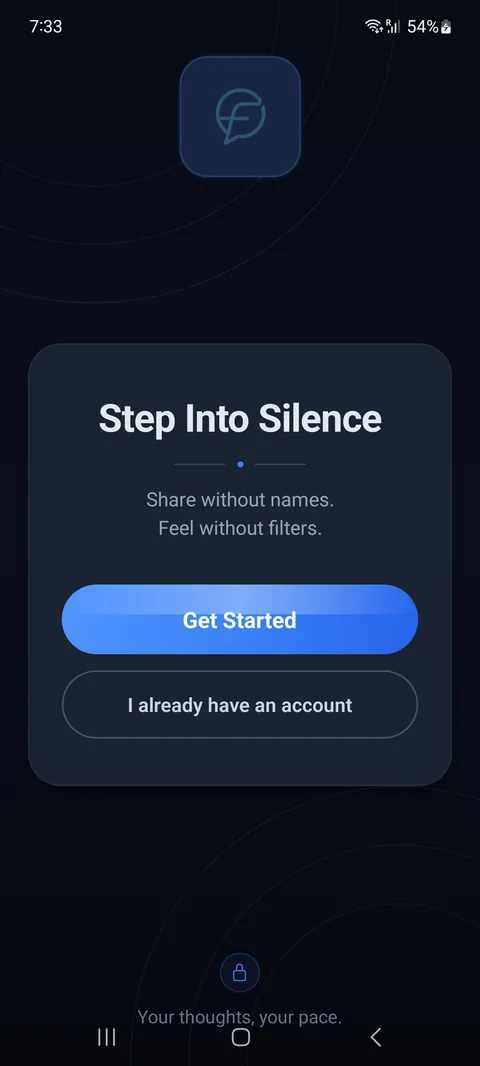
WelcomeStart or sign in. 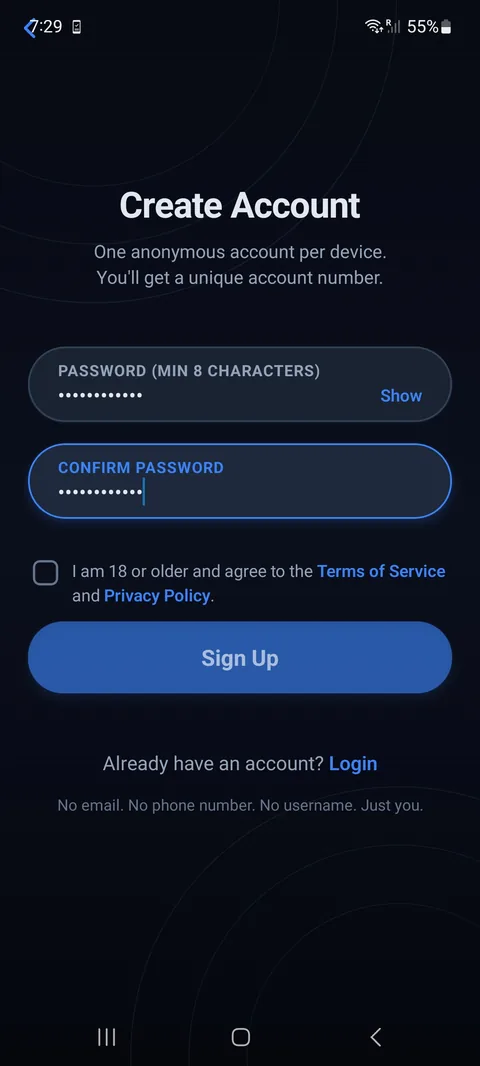
Sign upPassword only. 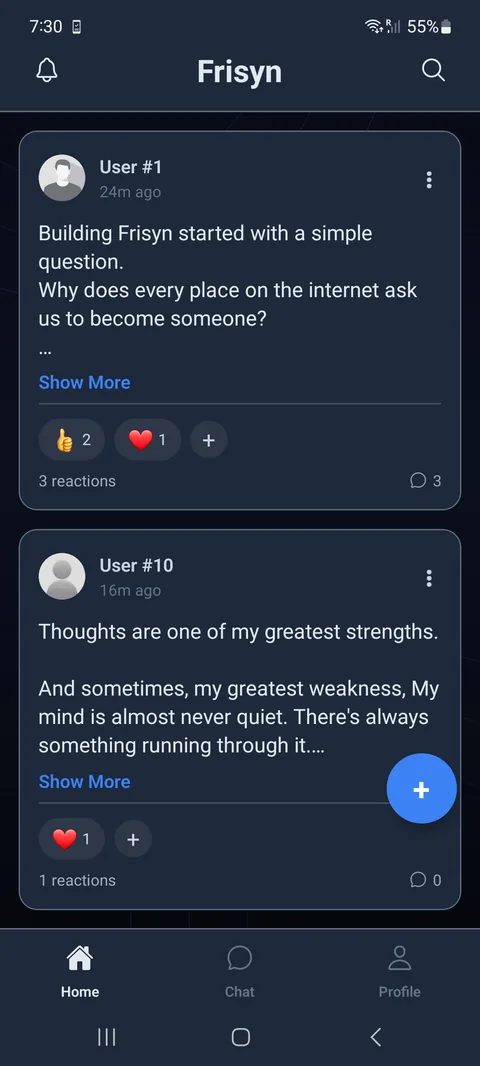
FeedAccount numbers. 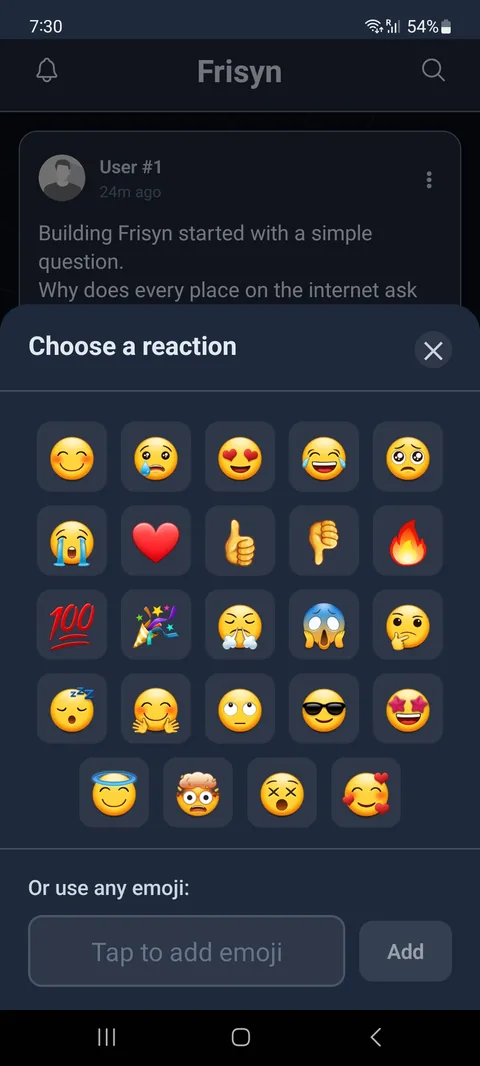
ReactionsAny emoji. 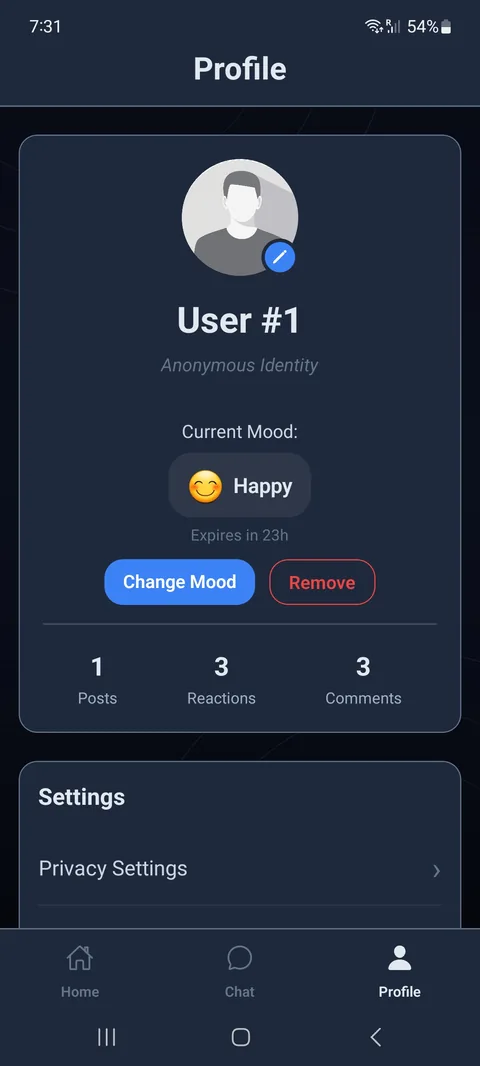
Profile24-hour mood status. 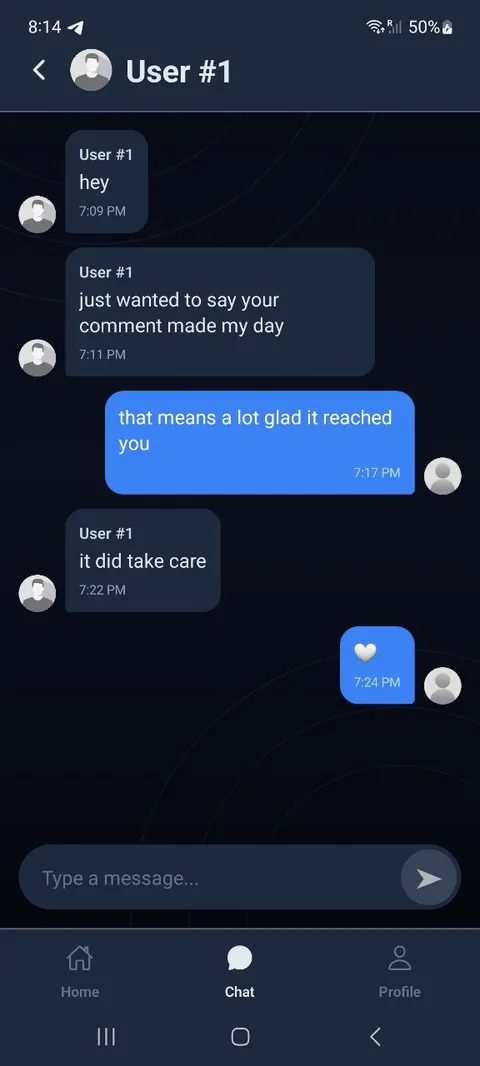
ChatOne-to-one.
Social
- Anonymous feed with a post length limit
- Emoji reactions
- Nested comments and replies
- Real-time direct chat
Profile
- Selectable preset avatars
- 24-hour mood status, optional to show
Safety and policy
- In-app reporting for posts, comments, users and chat messages
- 18+ consent at sign-up, with links to the policies
- Privacy policy, terms, child-safety policy and account-deletion page
Account and operations
- In-app account deletion through a server-side function
- Force-update version gate
- Hardened Firestore security rules
Stack & architecture
How it's put together
- React Native app
- Cloud Functions
- Firestore
The app talks to Cloud Functions for authentication and account actions, and to Firestore under security rules for app data. Audit logs go to a separate Firebase project with append-only rules.
- Client
- React Native + Expo SDK 54, Android-first
- Backend
- Firebase: Firestore, Cloud Functions, custom token auth
- Auth functions
- Node.js on Cloud Functions, Argon2id password hashing
- Hosting
- Netlify: marketing site, privacy policy, terms, child-safety policy, account-deletion page
- Release
- EAS Build; Google Play Console internal, closed and production tracks
- Development
- GitHub Codespaces, with AI tools helping write code under my review and testing
Technical highlight
Custom authentication
I wanted a custom identity model, an account number and a password, so I built authentication on Cloud Functions instead of using standard provider sign-in. It gives me full control over what is stored.
- Password and device fingerprintThe app hashes device identifiers (SHA-512) and sends the result with the password.
- Server-side re-hashThe server runs the fingerprint through HMAC with a server-side secret before storing it.
- Account numberA Firestore transaction assigns the next sequential number.
- Password hashArgon2id with OWASP interactive-tier parameters: 19 MiB memory, 2 iterations, parallelism 1.
- Recovery codeA one-time code is generated, shown once and stored only as a hash.
- SessionThe server mints a Firebase custom token and the user is signed in.
Selected decisions
-
Argon2id for passwords
My first version used SHA-512, which is too fast for passwords. Argon2id is memory-hard, so I switched to it, tuned to the OWASP interactive tier. Lazy re-hashing upgrades old hashes at next login, so I can raise the parameters later without forcing resets.
-
Transactional account numbers
Two simultaneous signups could read the same counter and receive the same account number. A Firestore transaction reads and increments it atomically. I found the race condition during development and fixed it this way.
-
Device fingerprints handled on the server
The app sends a hashed fingerprint and the server re-hashes it with a secret kept in server-side configuration. That lets signup limit accounts per device without storing anything that names the user.
-
Recovery code instead of email reset
With no email or phone to reset through, signup issues a one-time code (
XXXX-XXXX-XXXX, generated withcrypto.randomInt). It is stored only as a SHA-512 hash and treated like a password. -
A version gate that fails open
If the remote version config can't be read, users get in anyway. A backend hiccup shouldn't lock people out of an app they already use, so I chose availability over strict enforcement.
Development journey
From prototype to Google Play
- Local prototype
- Firebase
- Custom auth
- Closed testing
- Production · Oct 2026
Problems solved
- Avatar changes not reaching older posts
- A user-number race condition, fixed with transactions
- Mood status expiring continuously
- Duplicate chat creation
- An error boundary so one crash doesn't take down the app
Testing and release
Frisyn started as a local AsyncStorage prototype, moved to Firebase, then to the custom auth architecture.
Google Play's closed-testing process ran for 14 days. I shipped updates during it from tester feedback (chat message reporting, a logo fix, faster auth), then received production access and released publicly in October 2026.
Links
Try it, read the code
The GitHub repository is a standalone reference implementation of the device-binding authentication design. The production app uses its own tuned Argon2id settings, transactional account numbering and Firebase custom tokens, which are not in the repository.